Shazam: Find Music & Concerts
- 4.8
- Rating
- 500.00M
- Installs
- Free
- Price

 Analysis by App-foxy
I use Shazam when a song appears at the exact moment I cannot place it: in a café, during a television scene, from a passing car, or beneath a short video. That simple job remains the app’s strongest reason to exist, but my experience with it is more useful when I treat it as a bridge to music rather than as a complete music player. It can identify a track, surface lyrics and videos, point me toward concerts, and connect me with a service where I can continue listening.
That distinction matters for anyone deciding whether it belongs on a phone. Shazam is a free Music & Audio app from Apple Inc., aimed at teenagers and older users, and its scale is hard to ignore: it has passed 500 million installs, with an average rating of 4.8 from around 12 million ratings. Those figures suggest a mature, familiar tool, but they do not remove the practical questions. Is it easy to read? Can someone use it one-handed? Does it work in a noisy setting? What happens when the phone is locked, the room is dark, or the user has difficulty hearing the song?
How the interface feels when I need an answer quickly
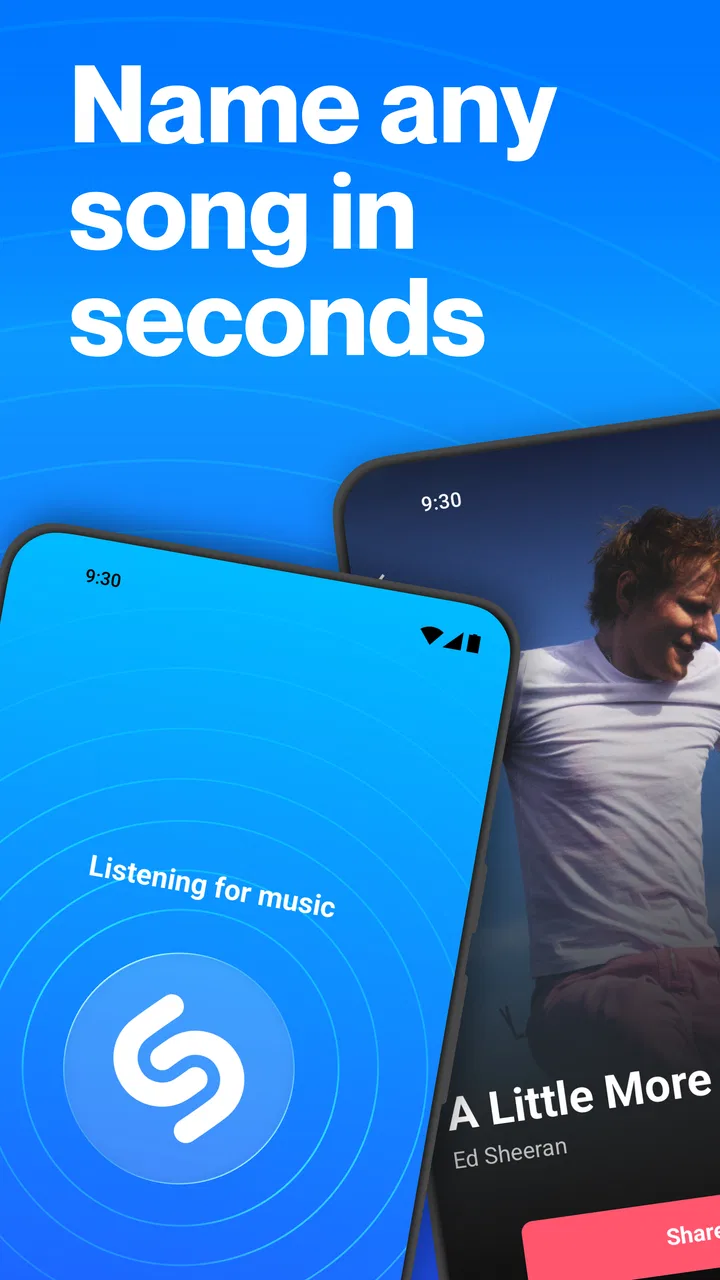
The main experience is refreshingly direct. I open the app, start recognition, and wait for the result instead of moving through a complicated library first. That short path is especially helpful when the song is fading or when I do not want to interrupt a conversation. The result screen gives the track a clear identity and then offers related ways to continue, including lyrics, videos, and listening through a connected music service.
In-Depth Coverage of Shazam: Find Music & Concerts
For readability, the app benefits from presenting one central answer rather than a crowded dashboard. Artist and song information are easier to understand when they arrive after the recognition step, and the separation between identification and follow-up content keeps the first task focused. I also find the visual rhythm less tiring than browsing a conventional music catalog, where album art, playlists, recommendations, and controls compete for attention.
Still, the experience is not equally comfortable for everyone. Music recognition is time-sensitive, so a user who needs larger text, stronger contrast, or more time to locate a control may feel pressure before the result appears. The app’s value is highest when the user can reach the recognition action without hesitation. If that action is difficult to find because of personal display settings or unfamiliar navigation, the central advantage becomes less immediate.
I would recommend setting up the app during a calm moment rather than waiting for the perfect song to appear. Explore where the recognition control sits, check how results are presented, and make sure the preferred listening service is connected if you intend to continue playing music. This small preparation reduces the number of decisions required in a noisy or hurried situation.
Why the result page is more useful than a simple song title
A basic identifier would answer only one question: “What is this?” Shazam goes further by making the result a starting point. Lyrics help when I want to follow along or confirm that I heard a phrase correctly. A video can provide another way to engage with the track, while concert information is useful when recognition turns curiosity into a plan to see the artist live.
That combination creates an important accessibility benefit without requiring me to remember the artist’s name, spell an unfamiliar title, or switch immediately to a separate search engine. It also helps users who process information differently. Someone may recognize a song better through its video, another person may prefer reading lyrics, and someone else may only need the title before handing the search to a listening service.
The trade-off is that every extra option can make the result screen busier. If I only want the song name, lyrics, video, concert details, and listening choices may feel like more information than necessary. I see the app as most successful when I use the first result as the answer and treat everything below it as optional. That mindset prevents the additional content from becoming a barrier.
Navigation for different reading and attention needs
Shazam’s focused purpose makes it easier to learn than a full streaming platform. I do not need to understand a large recommendation system before identifying a track. That makes it a good companion for users who prefer predictable tasks and limited exploration. It is also practical for families: one person can recognize the song, another can read the result, and everyone can decide what to do next.
However, the app is not a replacement for a dedicated accessible music library. A streaming service may offer more control over playlists, playback, queue management, and personal organization. If the main goal is to listen for hours, Shazam adds a step rather than removing one. I would use it to solve the “unknown song” problem, then move to the service that handles my regular listening more comfortably.
One useful habit is to save or revisit recognized tracks when I have time, rather than trying to complete every action immediately. Recognition often happens in public, where concentration is limited. Identifying the song first and organizing it later is less stressful than attempting to read lyrics, watch a video, and find a concert at the same moment.
Motor and sensory considerations in everyday use
The app can be convenient for people who have limited dexterity because the essential workflow is short: launch, activate recognition, and inspect the result. Fewer steps generally mean fewer opportunities for a missed tap. In my experience, that matters when I am holding a drink, walking carefully, or using the phone with one hand. The app is also easier to use than typing a vague lyric fragment into a search field while a song continues in the background.
You May Also Like

 AccuWeather: Weather Radar
AccuWeather Review: A Quick, Clear Forecast for Everyday Decisions
For everyday plans, the best forecast is the one you can understand quickly. AccuWeather makes rain timing, radar, and local conditions easy to act on, with a few trade-offs.

 Hill Climb Racing
Why Hill Climb Racing Still Turns Crashes Into One More Run
A tiny car, a bumpy hill and one more upgrade: Hill Climb Racing keeps resurfacing because its simple chaos makes every near-miss feel personal.

 AliExpress - Shopping App
AliExpress Makes Global Shopping Feel Personal, but Shoppers Bear the Risk
AliExpress turns a global marketplace into a pocket-sized discovery engine. Its reach is useful, its shopping loop compelling, and its trade-offs easy to miss.

 Lords Mobile: Kingdom Wars
Lords Mobile Is a Kingdom-Building Routine, Not a Quick Match
A case-by-case verdict on the building, battles, device demands, and social commitments that make Lords Mobile rewarding for some players and exhausting for others.

 PDF Scanner app - TapScanner
TapScanner Makes Paperwork Easier to Capture, Check, and Share
TapScanner makes scanning with a phone feel less like a rescue operation and more like a dependable step in getting work done. Its capture tools are useful, though not flawless.

 Block Blast!
Block Blast! Shows How Much a Puzzle Game Can Leave Out
A quiet grid game shows why puzzle players increasingly value instant clarity, repeatable skill and low-pressure play—and where the genre still needs to catch up.
More From Our News Desk
View All News


There are limits. Recognition still depends on placing the phone where it can capture enough of the music, and a user with difficulty positioning the device may struggle in a crowded room. A person with tremors or reduced precision may also find a fast-moving situation frustrating, especially if the song ends before the process is complete. I would not describe the app as hands-free based on the core experience alone; it remains a touch-driven tool that works best when the phone is accessible.
For users who are deaf or hard of hearing, the most obvious value is not the listening moment itself but the information that follows. If the app identifies a track, lyrics can offer a visual route into the song, and the title can make it possible to explore a video or artist information. That does not turn the app into a substitute for audio recognition in every situation, but it does make the result more useful than a sound-only experience.
For users with low vision, the app’s limited purpose may be easier to manage than a broad entertainment platform, yet the result still contains multiple kinds of content. I would pair it with the phone’s own display and text settings and test the complete path before relying on it outdoors. The important question is not only whether the app opens, but whether the result, lyrics, and next action remain understandable at the chosen size and contrast.
People sensitive to loud or unpredictable sound can use Shazam without turning the recognition process into a listening session, but the surrounding environment still matters. A busy venue may produce an unclear result, and repeated attempts can become tiring. In that case, I would move closer to the source when safe, wait for a quieter passage, or ask someone nearby to hold the phone. The app cannot remove the acoustic conditions that make recognition difficult.
Situational access: cafés, cars, television, and social spaces
The strongest everyday scenario is a café playlist. I hear a song I like, open Shazam, let it identify the track, and return to the conversation. I do not need to interrupt the group with a question or remember a lyric for later. If the result is correct, I can read the title when the moment is convenient and decide later whether it belongs in a playlist.
In a car, the app is more complicated. A passenger can use it without much trouble, but I would not encourage anyone to operate a phone while driving. The app is useful when the vehicle is parked or when another person handles the device. This is a good example of situational access: the same short workflow that feels effortless on a sofa can become unsafe on the road.
Television and video playback create another practical use. When a song appears briefly and the credits are not helpful, recognition can save a long search. Yet background dialogue, sound effects, and low volume may interfere. I have found that the best results come when the music is prominent and the phone is close enough to hear it clearly. If the scene is quiet or heavily mixed, the app may need another attempt.
At a concert, Shazam can be appealing because it connects discovery with artist and event information. At the same time, the venue is one of the least predictable places to use it. Loud crowds, lighting, movement, and poor network conditions can all make the interaction harder. I would use it between songs or after leaving the densest part of the audience, not as something to operate continuously during a performance.
For people who rely on captions or visual information, the app’s lyrics and video pathway can make music discovery more inclusive. For someone who cannot comfortably read small text, the same pathway may require more effort. The practical solution is to decide which part matters most: identification, lyrics, video, or concert discovery. Using only the needed part keeps the experience manageable.
Where it fits beside search engines and streaming apps
Compared with a search engine, Shazam is much better when I know the sound but not the words. Search is stronger when I remember a lyric, a performer, or a visual detail, while Shazam is designed around the audio itself. I would not replace one with the other; I choose based on what information I already have.
Compared with a streaming app, Shazam is faster for discovery but thinner for long-term listening. A streaming service is the better home for albums, playlists, playback controls, and daily listening habits. Shazam is the missing first step when the track has not yet been identified. Its ability to connect onward is useful, but it does not make the recognition app a full alternative to a music subscription or library.
Compared with manually asking another person, it is more private and less disruptive. That can help users who are anxious about speaking in public, have difficulty communicating quickly, or simply do not want to explain the situation. The downside is that a failed recognition attempt gives less human context than a friend might provide. A person may recognize a remix, live version, or obscure recording when the app cannot.
Remaining barriers I would want users to know about
The largest barrier is dependence on conditions outside the interface. The song must be audible enough, the phone must be positioned well, and the moment must last long enough to complete recognition. These are not small details for users with mobility, hearing, vision, or attention-related needs. The app can simplify the search, but it cannot guarantee a result in every environment.
Another friction point is the transition after identification. If I want to listen immediately, I may move from Shazam into another service, which means another interface, another set of controls, and possibly another account or listening arrangement. That handoff is convenient when everything is already prepared, but it can be confusing for someone who expected the recognition app to handle playback by itself.
Concert information is useful but context-dependent. A user who wants only the song title may not care about events, while someone planning an accessible outing may need more practical venue information than a general event result provides. I would treat the concert pathway as a discovery aid, not as a complete accessibility-planning tool.
Privacy and comfort can also affect adoption, even when the basic action feels simple. Some people will be uncomfortable using a microphone-oriented music tool in a quiet room or around others. I would explain what I am doing to a companion if the setting is sensitive, and I would avoid assuming that every user wants recognition history, lyrics, videos, and event details in one place. The best experience comes from choosing deliberately rather than accepting every available path.
My inclusive verdict after using it as a practical tool
I recommend Shazam to anyone who regularly hears music they cannot identify, especially users who want a quick route from sound to readable song information. Its focused workflow is easier to learn than a full streaming catalog, and the combination of lyrics, videos, and concert discovery gives the result more value than a bare title. The fact that it is free removes an important entry barrier, while its Teen rating makes its intended audience clear.
I would be more cautious recommending it as a primary music app for someone who needs extensive playback organization, a fully hands-free workflow, or reliable recognition in very noisy environments. A streaming service remains better for sustained listening, and a search engine may win when the user remembers words rather than melody. Users with specific visual, motor, or hearing needs should test the complete journey on their own device, including the handoff to any listening service they plan to use.
My practical advice is simple: prepare the app before you need it, learn the recognition route, use it in a safe position, and postpone optional exploration until the song has been identified. The most inclusive strength here is not that every situation becomes effortless, but that one unknown sound can become several accessible ways to continue. For me, that makes Shazam a dependable discovery companion rather than an all-purpose replacement for the rest of my music setup.
If I were recommending one app for the specific problem of naming a song quickly, I would choose Shazam. I would just explain its boundaries honestly: it is best at recognition and follow-up discovery, not at replacing every tool involved in listening, reading, planning, or enjoying music.
FAQs for Shazam: Find Music & Concerts
01What is Shazam and how does it work?
Shazam is a music recognition app that identifies songs playing around you. By using your device's microphone, it captures a snippet of the audio and matches it against a vast database of music tracks. Within seconds, Shazam provides the song title, artist, and album details, along with options to stream or purchase the track.
02Is Shazam available for both Android and iOS devices?
Yes, Shazam is available for both Android and iOS platforms. You can download it from the Google Play Store for Android devices and the Apple App Store for iOS devices. The app is free to use, though it may offer in-app purchases for additional features.
03Does Shazam work offline?
Shazam requires an internet connection to identify songs, as it needs to access its online database. However, it does offer an offline mode where you can tag a song and then identify it once you’re back online. This feature ensures you never miss a song, even without immediate internet access.
04Can Shazam help me discover new music or concerts?
Yes, Shazam not only identifies songs but also offers features to discover new music and concerts. It provides recommendations based on your music preferences and connects you to artists’ concert schedules. You can follow your favorite artists to get updates on their latest releases and upcoming live performances.
05Is my privacy protected when using Shazam?
Shazam takes privacy seriously and does not record or store audio from your environment. It only captures a brief audio fingerprint to identify the song, which is then processed securely. Users can review Shazam’s privacy policy for detailed information on data handling and protection practices.
Pros
- Instantly identifies songs playing near you.
- Provides detailed artist and album info.
- Syncs seamlessly with streaming services.
- User-friendly interface with quick navigation.
- Offers concert details for favorite artists.
Cons
- Requires internet for song recognition.
- Occasional inaccuracies in song identification.
- Ad-supported unless you upgrade to premium.
- Limited offline features available.
- Can drain battery when used extensively.

Shazam: Find Music & Concerts
Gallery